Comprehensive Backtest
The Comprehensive Backtest is the definitive tool for deep performance analysis and long-term strategy validation. Evaluating your logic across a much larger historical dataset than the Realtime Backtest, it provides the statistical confidence needed to transition a strategy from the canvas to a live environment.
Due to the depth of data and the complexity of the calculations involved, this process takes longer to complete but yields significantly richer insights into how your strategy handles various market cycles.
Access & Integration
The platform is designed for flexibility in how backtesting data is presented:
- Default Screen: A standardized, robust Comprehensive Backtest interface is available for immediate use.
- Custom UI via API: Brokers or advanced users can build personalized layouts and specialized performance dashboards using the Backtest API.
Custom Backtest Range & Performance Overview
This module allows users to define a custom time period for backtesting and immediately evaluate strategy performance based on that selected range.
1. Select Custom Backtest Range
This feature lets users choose a specific start and end date instead of relying on fixed durations.
From / To Selection
- From: Start date of the backtest period
- To: End date of the backtest period
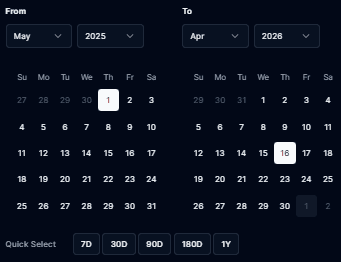
Users can pick exact dates using an interactive calendar view.
Quick Select Options
Predefined shortcuts for faster analysis:
- 7D – Last 7 days
- 30D – Last 30 days
- 90D – Last 90 days
- 180D – Last 180 days
- 1Y – Last 1 year
Apply Range
- Runs the backtest using the selected timeframe
- Refreshes all performance metrics and charts instantly
Purpose
- Helps isolate specific market conditions (e.g., high volatility periods, news cycles, trending markets)
- Enables more precise strategy evaluation across different time windows
2. Backtest Performance Metrics
Once a range is applied, the system recalculates all key metrics:

-
Total Return Overall percentage profit or loss over the selected period
-
Drawdown Measures peak-to-trough equity decline
-
Profit Factor Ratio of gross profit to gross loss
-
Win Rate Percentage of profitable trades
3. Capital & Leverage Impact
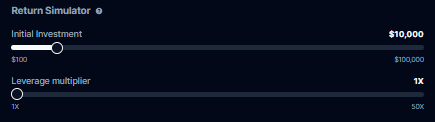
Allows users to simulate how strategy performs under different capital and leverage settings.
-
Initial Investment Starting capital
-
Leverage Multiplier Controls exposure level (e.g., 1x–50x)
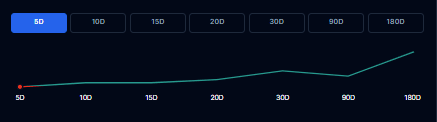
4. Equity Curve
Graph showing account growth or decline over time
Summary
The Custom Backtest Range feature combined with performance metrics allows users to:
- Analyze strategies across specific market conditions
- Validate consistency over time
- Understand risk vs reward behavior under different scenarios
A profitable strategy will typically show:
- Positive Total Return
- Profit Factor > 1
- Stable or controlled Drawdown
- High Win Rate with consistent equity growth
A non-profitable strategy will typically show:
- Negative Total Return
- Profit Factor < 1
- High Drawdown
- Low Win Rate and declining equity curve
Calculate Estimated Returns
This interactive section allows you to simulate the actual capital impact of your strategy based on your specific risk profile.
| Component | Description |
|---|---|
| Volume | Adjust the trade quantity (lots or shares) to see potential dollar returns. |
| Leverage | Apply leverage to estimate market exposure.(Default: Forex = 0.01, Equity = 1). |
The system dynamically calculates your Trade Size, Initial Margin, and Total Exposure, providing a clear picture of capital requirements before you deploy.
View Strategy Results
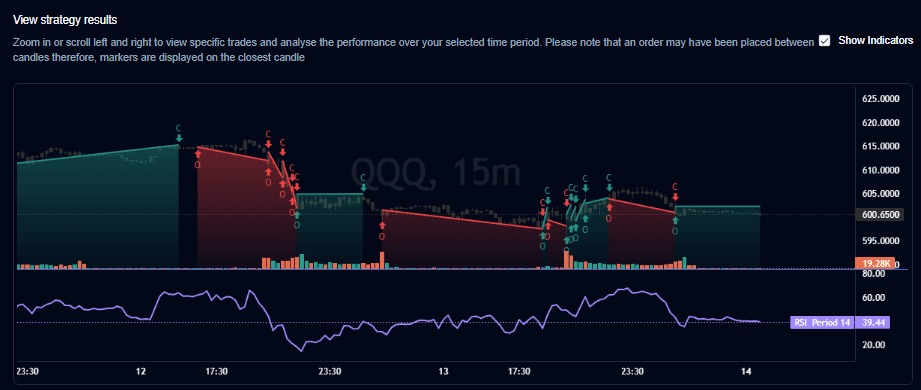
For those who need to see the “why” behind the numbers, this section provides a granular, trade-level visual analysis:
- Chart Markers: Every entry and exit is plotted directly on the price chart.
- Trade Mapping: Trades executed between candles are mapped to the closest available candle for visual clarity.
- Inspection Tools: You can zoom and scroll through history to see the exact market context (volatility, news, or trends) during specific wins or losses.
Backtest Statistics (Key Metrics)
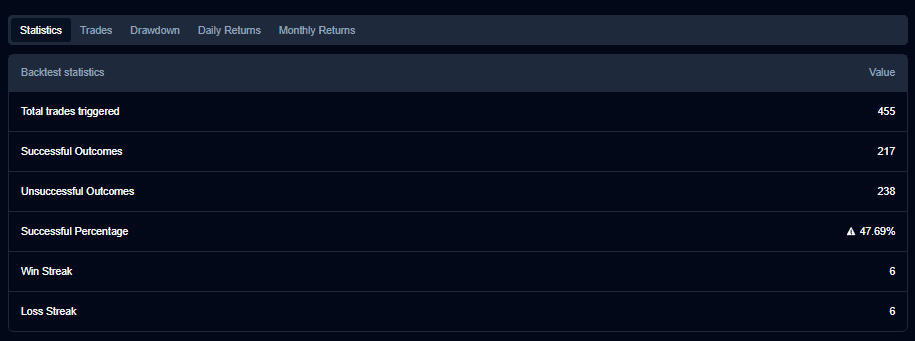
These metrics help you quantify the “personality” of your strategy:
- Total Trades Triggered: The total sample size of the test.
- Successful / Unsuccessful Outcomes: The raw count of winning vs. losing trades.
- Successful Percentage: Your overall win rate.
- Win/Loss Streaks: The maximum number of consecutive wins or losses, which is critical for understanding psychological pressure and risk of ruin.
Strategy Tools
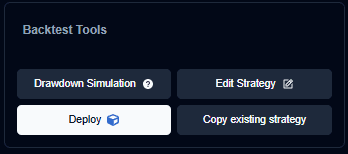
Managing the “worst-case scenario” is just as important as managing profits.
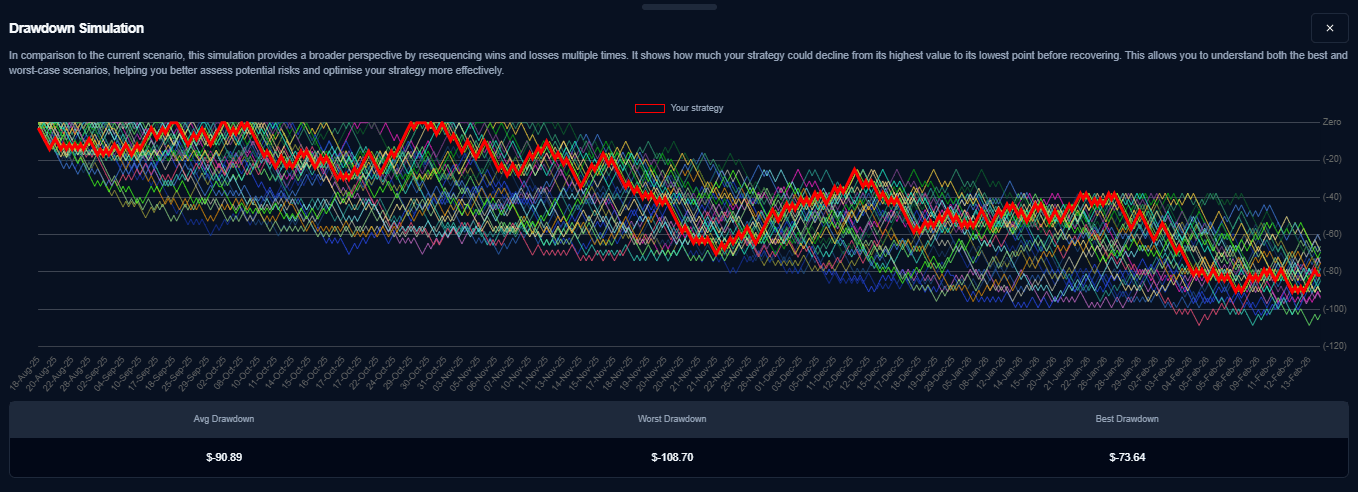
- Drawdown Simulation: Analyze the largest peak-to-trough decline in capital. This helps you determine if the strategy’s “heat” is within your emotional and financial tolerance.
- Edit & Copy: Quickly jump back into the builder to modify parameters or create variations for A/B testing and optimization.
- Deploy: Once validated, move your strategy directly to Paper Trading or Live Execution with a single click.
Pro Tip: A strategy with a lower win rate but a very small maximum drawdown is often more sustainable for long-term growth than a high-win-rate strategy with massive, unpredictable drawdowns.