Sterling Trader® Pro
Please note: This is a low-latency, professionally hosted setup designed for active traders. Unlike our standard broker integrations, API access must be configured individually to ensure optimal performance and correct setup.
Follow these steps to connect your Sterling account to Level2 and enable fully automated trading.
1. Download Sterling Trader Pro
Download Sterling Trader Pro by visiting the Sterling Website-CLICK HERE
- Complete all click-through market data agreements.
- Once installation is complete, launch Sterling Trader Pro by double-clicking the icon on your desktop.
2. Subscribe to Level2
Sterling traders need to subscribe to the Sterling specific trader plan which provides the integration setup, onboarding, low-latency execution and dedicated support.
Need support? Contact the Level2 team directly at contact@trylevel2.com.
3. Connect the API Service
To enable automated trading, link Level2 to your Sterling account using the following steps:
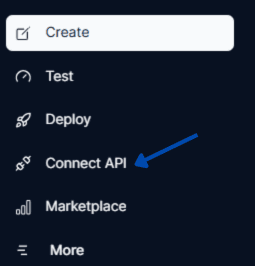
- Navigate to the Connect API section in the Level2 dashboard.
- Enter your Trader Name and Password.
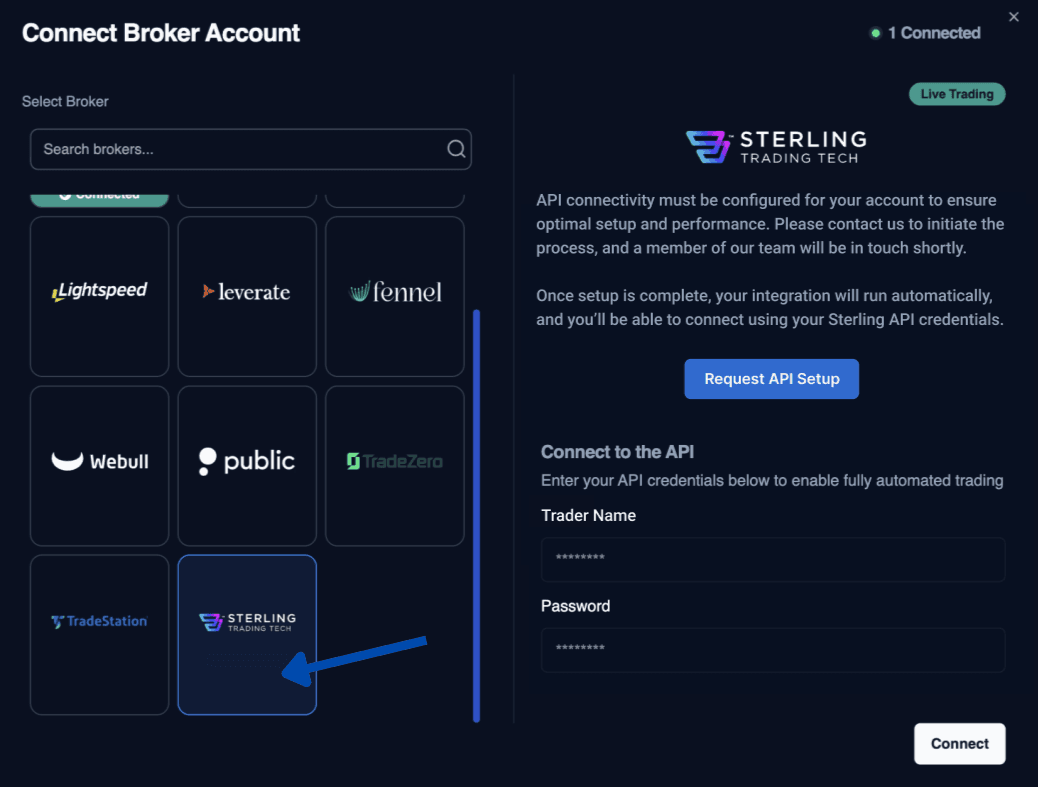
- Click Connect and select your trading account from the list.
Last updated on